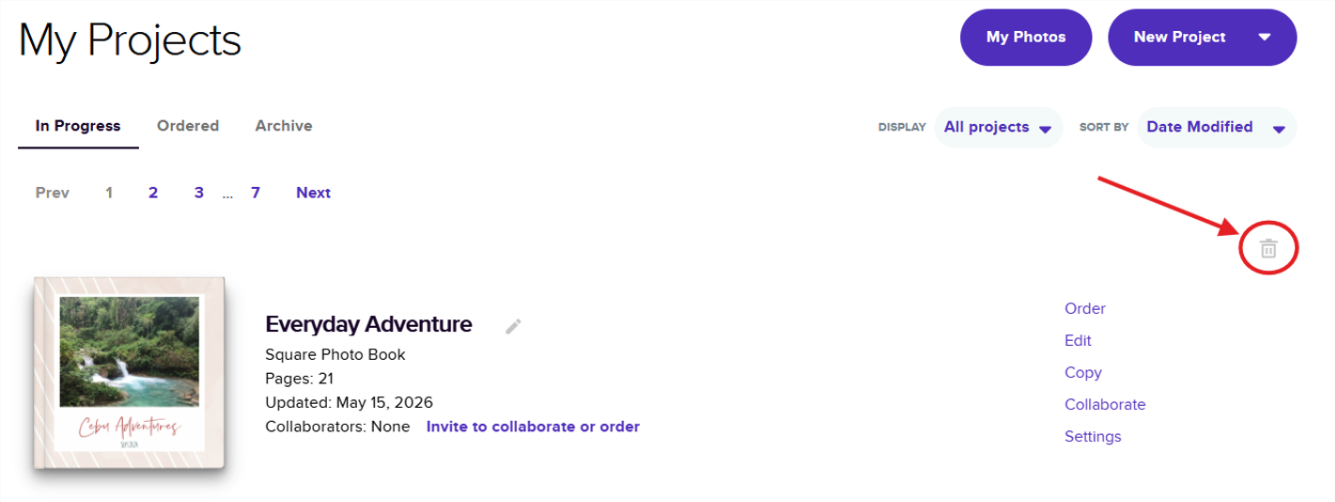
Deleting your project is easy! Just follow the simple steps below:
Steps How to Delete Your Mixbook Project
On Desktop:
- Go to My Projects page and click on Settings.
In the top-left corner, click on the Delete option.
A notification will appear — select Delete this project, and you’re all set!
⚠️ As of this moment, deleting a Mixbook Project is only possible on Desktop. In the Mixbook App, you can only Archive your project.
💡 Quick note — Adding your project to the Archives does not delete it entirely, and you can easily restore it later if you change your mind.
Steps on Archiving Your Project
On Mixbook App:
- Click the Home button located at the lower-left corner of your screen.
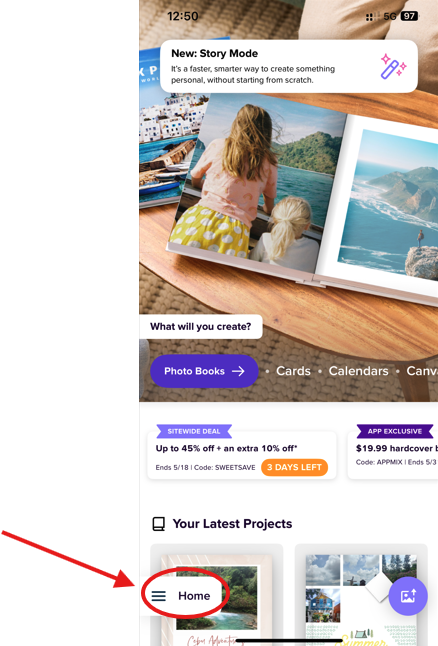
- Select Projects.
- Find the project you want to archive and click the three dots at the bottom center of the project.
- Choose Archive, and it will now be stored in Archived.
On Desktop:
- Click My Projects in the top right corner of the navigation menu.

- On the next page, click the light gray trash can icon to the far right of the project.