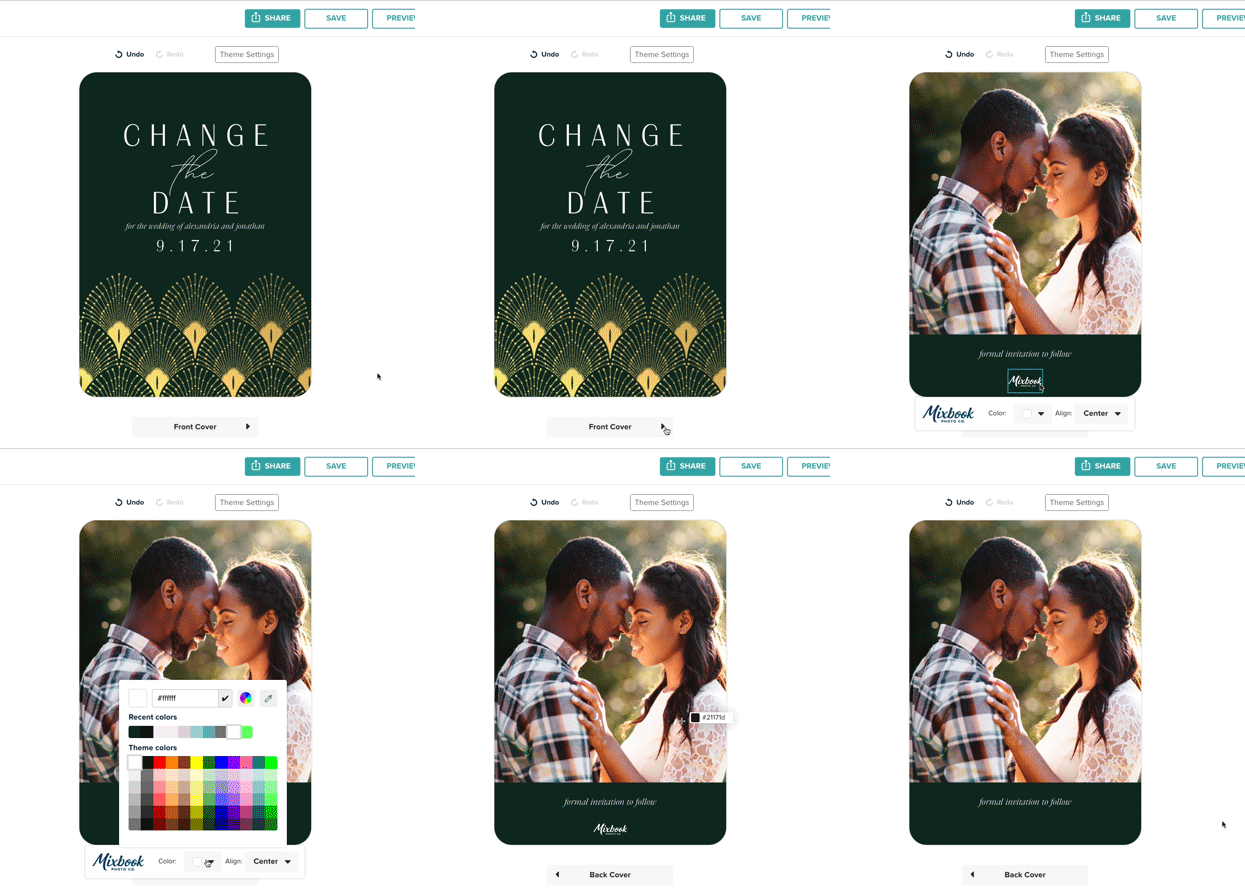
At this time, the Mixbook logo is included on all products—you’ll typically find it on the back cover of photo books, cards, and calendars.
While it can’t be removed entirely, we’ve made it easy to make the logo less noticeable so it blends in with your design.
Ways to Make the Logo Less Noticeable
For Photo Books:
You can change the logo’s color to match your back cover.
For Cards:
You can adjust both the color and position of the logo to better match your layout.
How to Blend the Logo into Your Background
- Click on the Mixbook logo on your project.
- On the toolbar, click the Color dropdown.
- Select the Eyedropper Tool.
- Pick a color from your background to make the logo blend in seamlessly.
💡 Pro Tip: Matching the logo color to your background helps it blend in seamlessly while still keeping your project print-ready.