Yes! You can invite family and friends to collaborate on your Mixbook project and create something special together. It’s a great way to design as a team — whether you’re making a family yearbook, wedding album, or group gift.
🎥 Watch it in action: Follow along in our Mixbook Studio Essentials video tutorial below.
How to Invite Collaborators
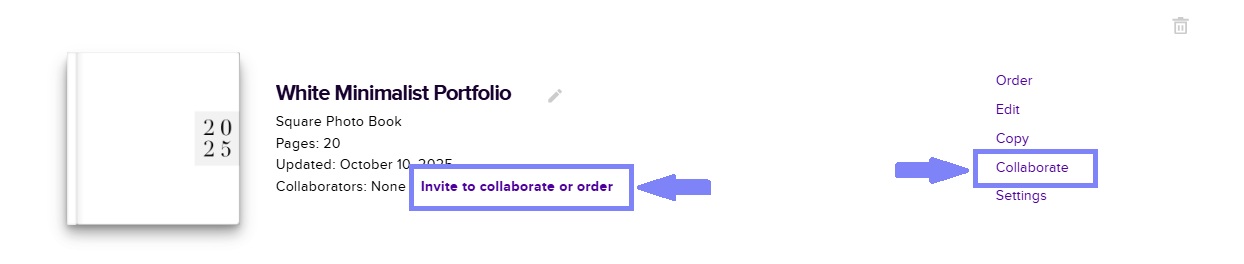
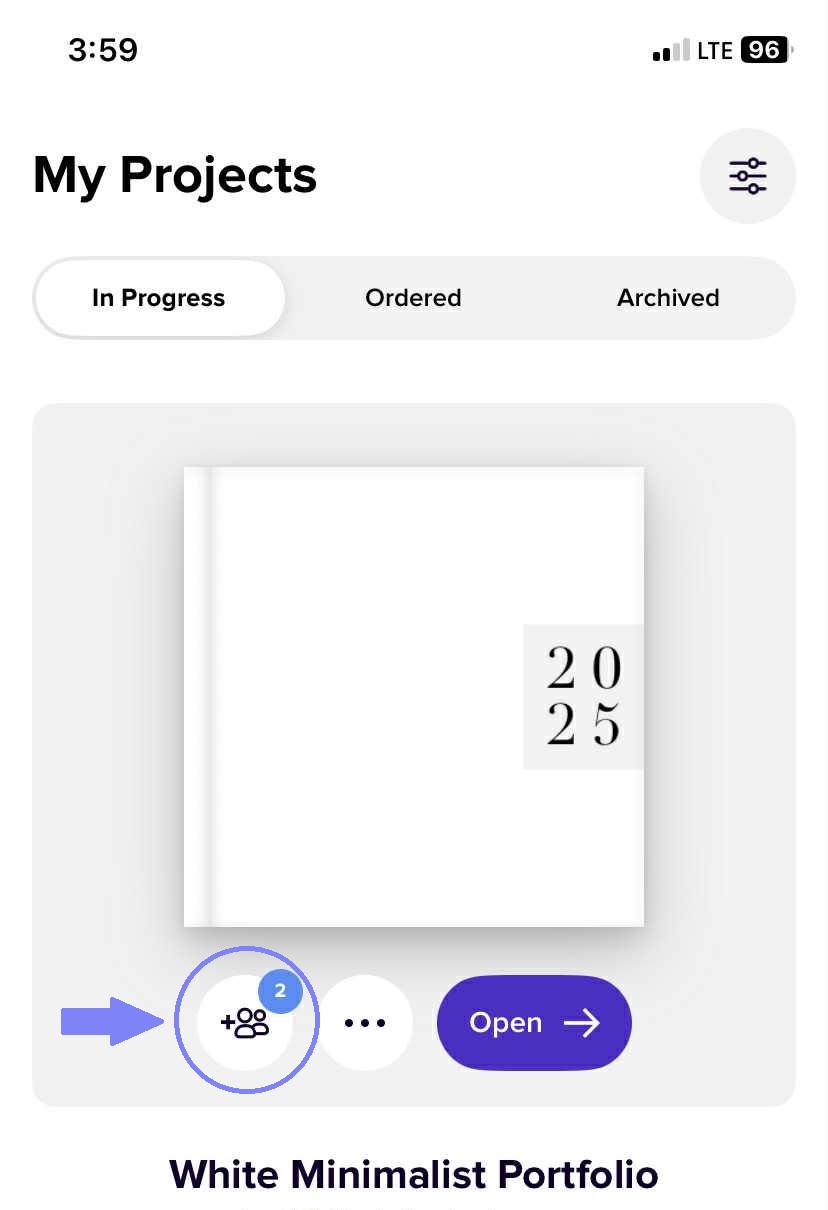
1. Click "Invite to collaborate or order" just beside your project thumbnail in the My Projects page. You may also click on the "Collaborate" button on the right side of the project thumbnail.
Desktop/Computer:
Mobile:
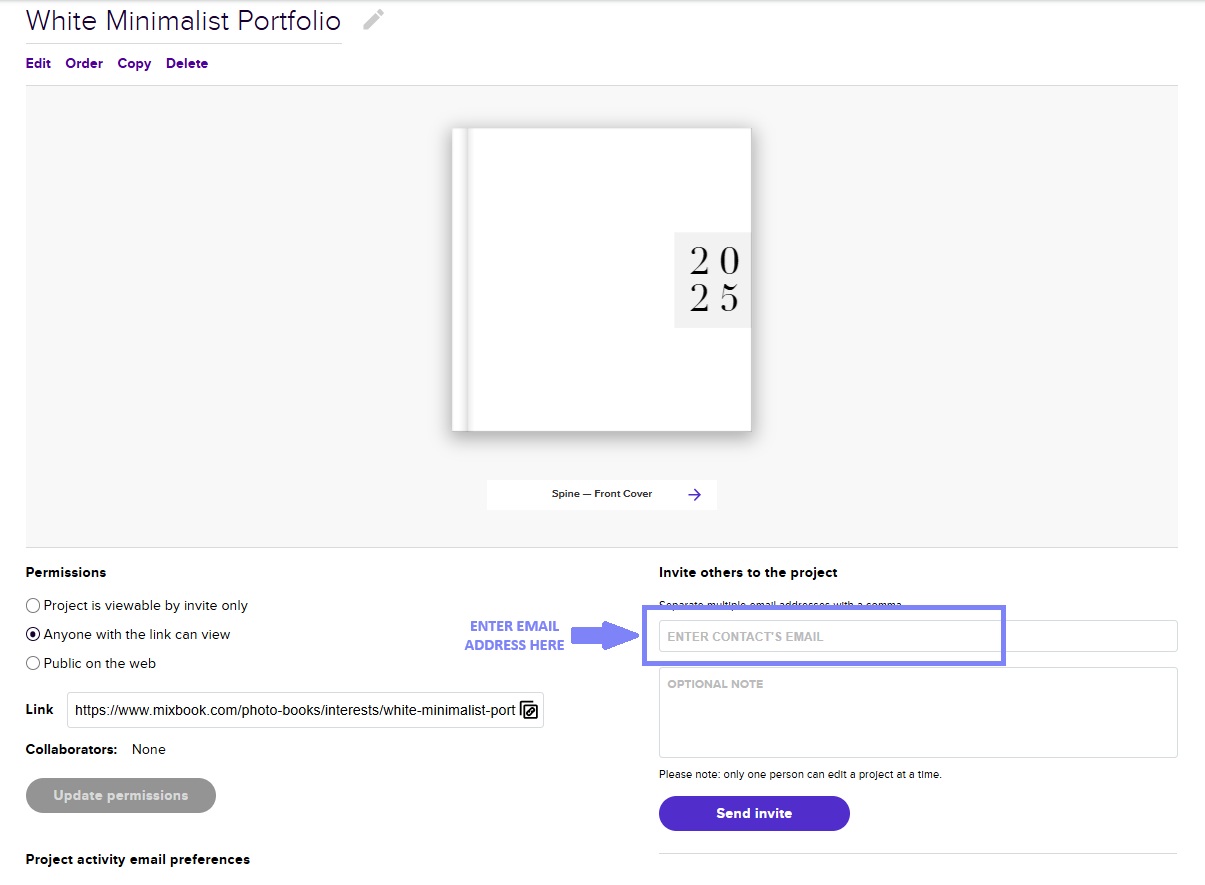
2. Enter the email addresses of your friends or family members to invite them to your project! You also have the option to include personalized notes for a special touch. Please note that anyone you invite as a collaborator will need to have a Mixbook account to edit the project alongside you.
3. You can also invite friends and family from the Mixbook studio by clicking the "Share" button at the top right of the page.

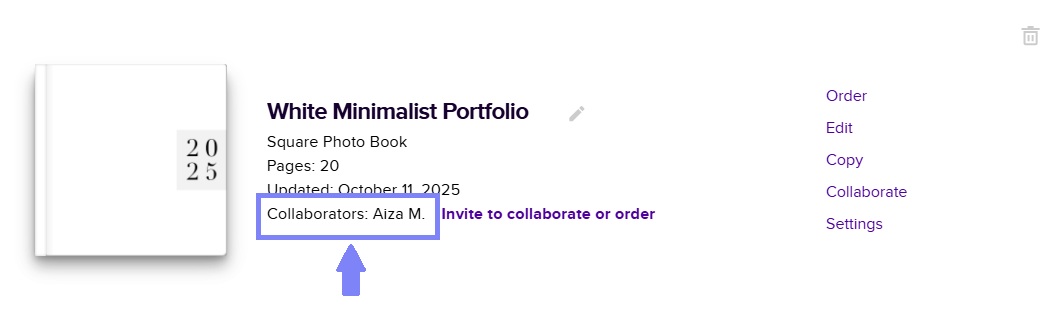
4. You can easily check if your invitee has accepted the invitation by looking in the "Collaborator" area. Their name will be displayed next to the "Add Collaborator" button once they have confirmed.
✨ Tip: Collaboration is a great way to collect memories from multiple perspectives! Each person can add photos or edit layouts — making your Mixbook even more meaningful.
💜 Want more sharing ideas? Learn creative ways to share your finished projects and surprise your loved ones — check out our blog post How to Collaborate on a Family Photo Book.