The Flip Image tool lets you mirror your photo horizontally, giving you more flexibility with layout and composition—great for fitting photos seamlessly into your design!
How to Use the Flip Tool:
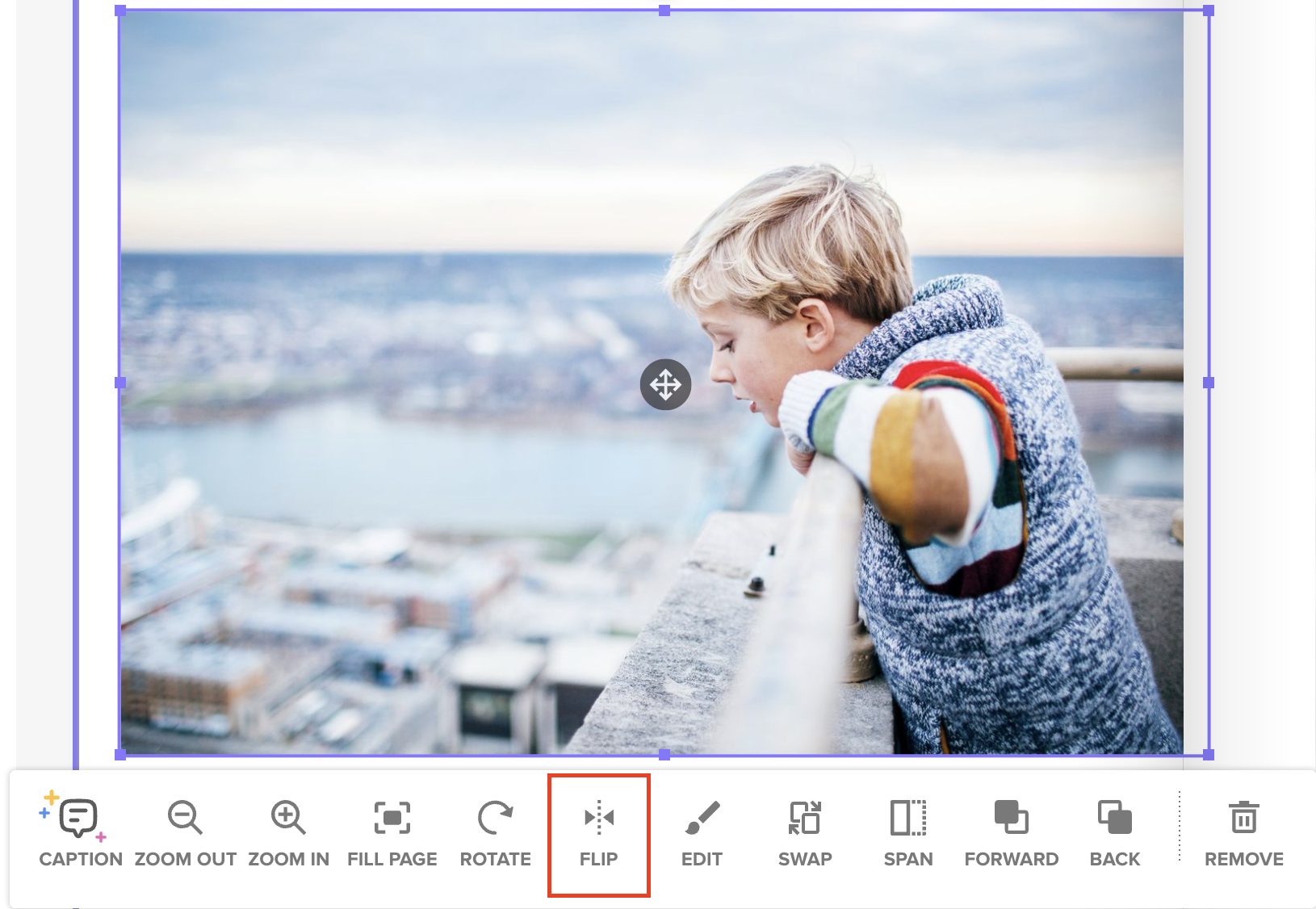
Click on the photo you want to flip.
In the toolbar that appears below the photo, click the “Flip” icon.
The photo will instantly flip horizontally—like looking at it in a mirror.
Before clicking 'Flip':
After clicking 'Flip'
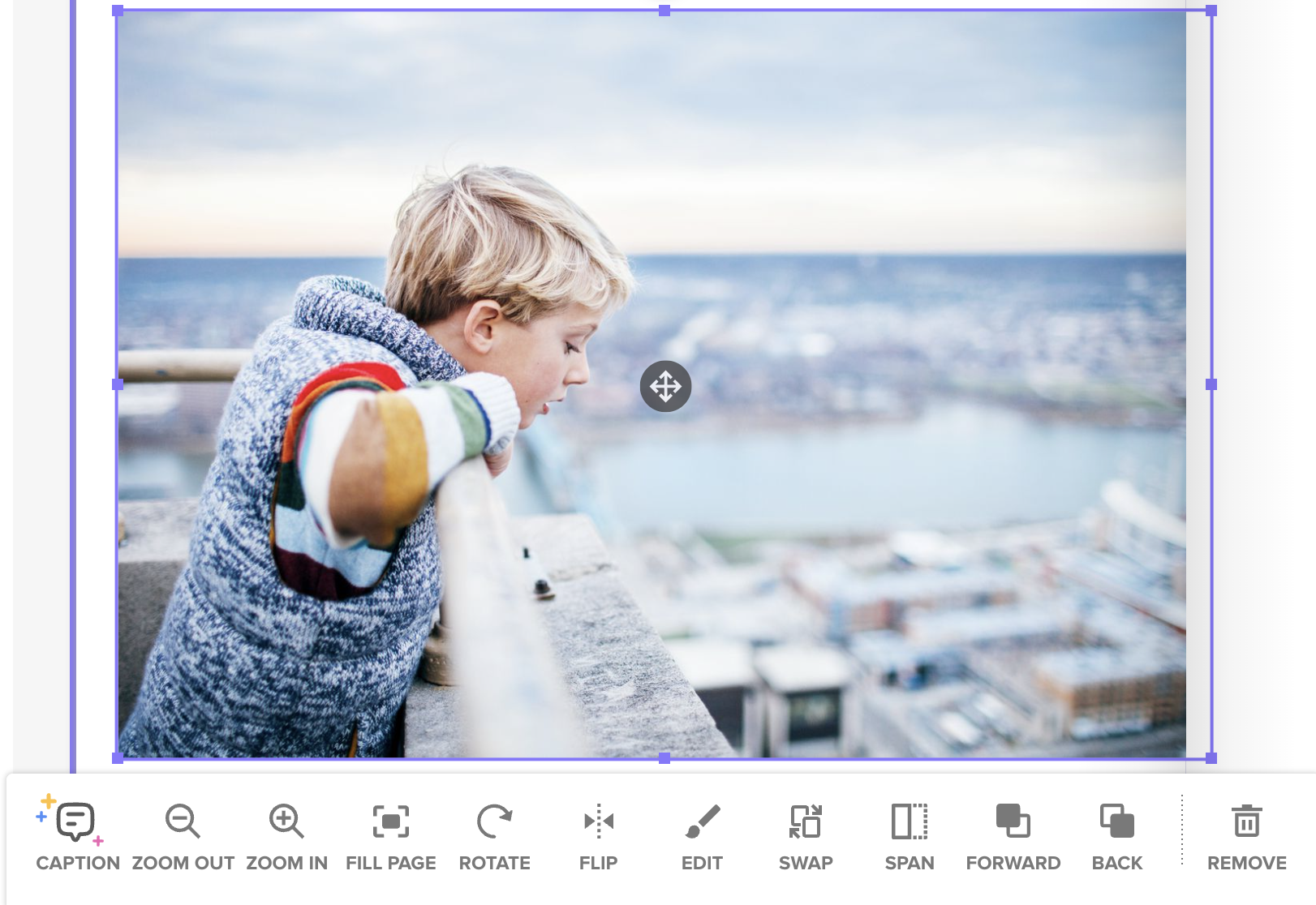
💡 Pro Tip: Flipping a photo is a great way to improve balance on your page or change the direction someone in the photo is facing for a more natural visual flow.