Shipping & Tracking Information
- Once your order ships, you’ll receive a confirmation email with a tracking link that will take you to the Mixbook tracking page which will provide you with real time updates on your in transit order.
- Can't find your shipping confirmation email? No problem! You can use the above link and search by your order number & email address to locate your tracking information.
-
For UK Customers: Some shipping methods may not be trackable, but rest assured, your order is on its way.
🚚 Order delayed? If your package is past the Estimated Delivery Date, our Customer Happiness Team is here to help! Reach out via 24/7 chat or email us at hello@mixbook.com.
Track Your Order Status Via Desktop
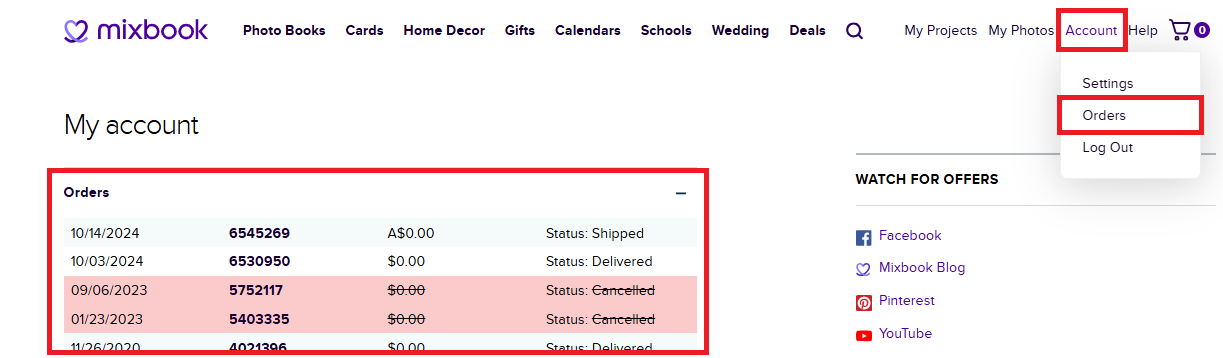
- Once you're logged into your account, hover over “Account” in the top-right corner and click “Orders.”
- You’ll see a list of your orders, including:
- Date Ordered
- Order Number
- Amount Paid
- Order Status
Track Your Order Status Via Mixbook App
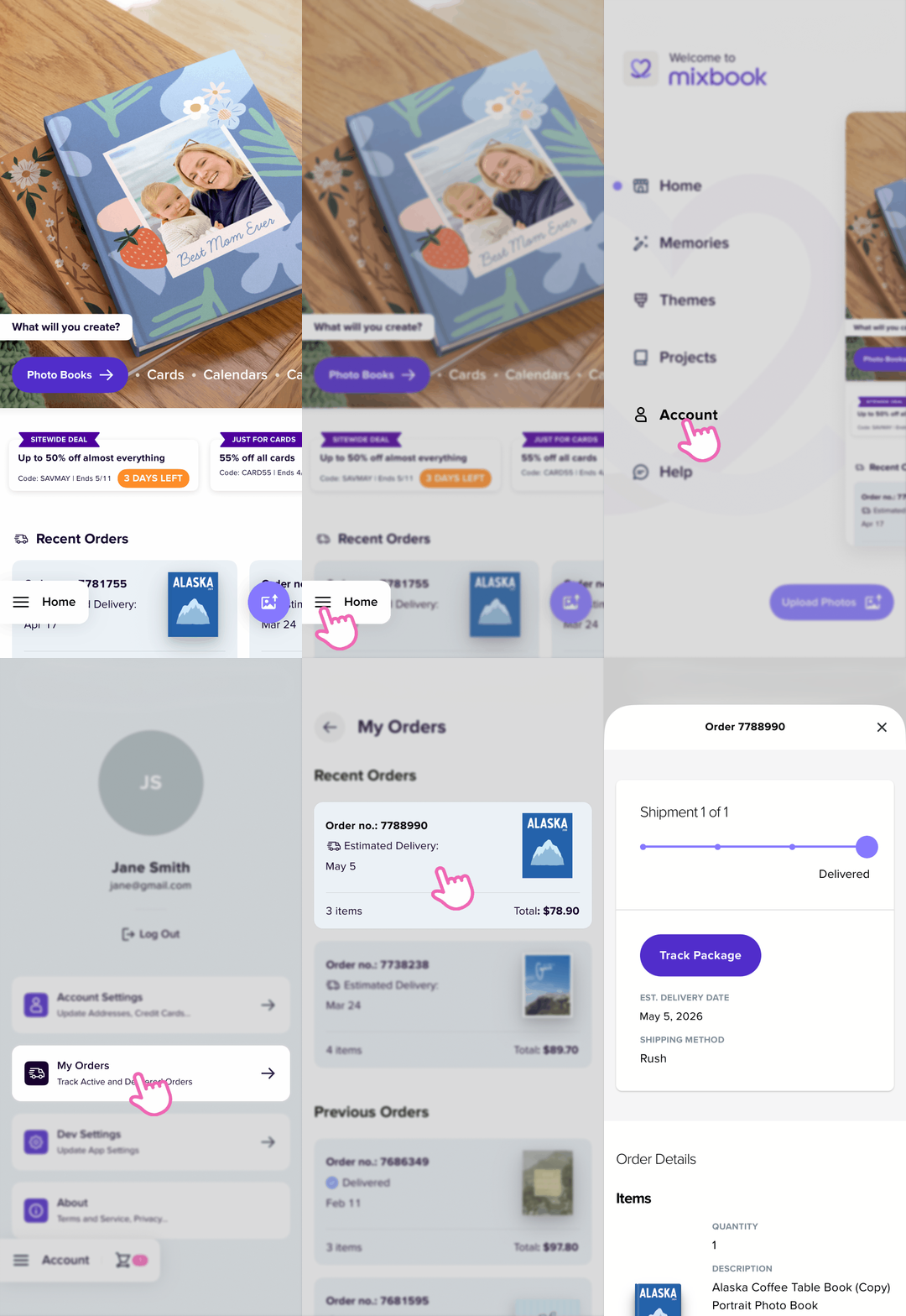
- In your app, tap the three horizontal line icon at the lower-left corner of the page.
- In the next screen, click on “Account” then “Orders”.
- In the orders page, you will see the list of your orders.
- Tap on the order to see the latest status.
Track Orders on the Go
Stay updated anytime, anywhere—download the Mixbook App and receive notifications about your order!